
// Release notes
ViStart 8.1.0.5328 — your Windows 11 apps, in your Windows 7 start menu
Posted 8 August 2026
The 2023 release made ViStart run on Windows 11. This one makes it belong there.
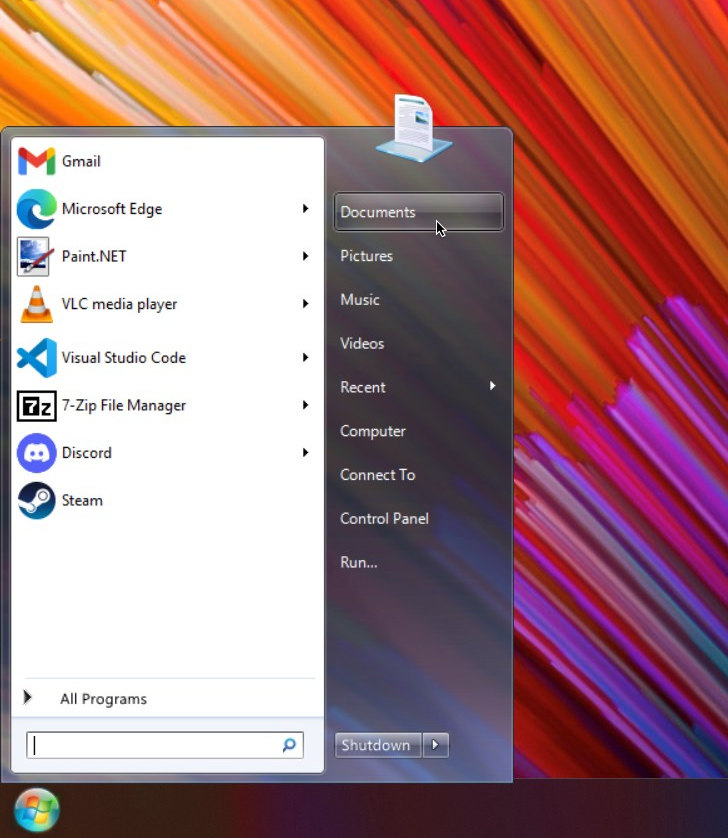
The big one first: ViStart now shows your Microsoft Store apps. Calculator, Notepad, Paint, Terminal, Settings — the apps you actually use on a modern Windows install don't live in the Start Menu folder that classic start menus read, which is why they've been invisible in ViStart (and most of its competitors' older versions) for years. ViStart now reads the same virtual apps folder Windows itself uses, merges everything into All Programs, indexes it for search, and pulls each app's real logo instead of a generic document icon. A twenty-year-old VB6 codebase enumerating UWP apps — it can be done, and nobody can stop you.
What changed in 8.1.0.5328
- Microsoft Store / packaged apps in All Programs and search, with their proper icons. Launching them works exactly like anything else.
- Jumplists work again on Windows 10/11. They'd been silently empty for years — Windows abandoned the classic file-association registry chain ViStart used to match recent files to apps, so nothing ever matched. It now reads the per-user associations Windows actually maintains.
- Right-clicking files works again on Windows 10/11. A registry key that existed on every Windows 7 machine doesn't exist on a clean modern install, and the context menu died quietly because of it.
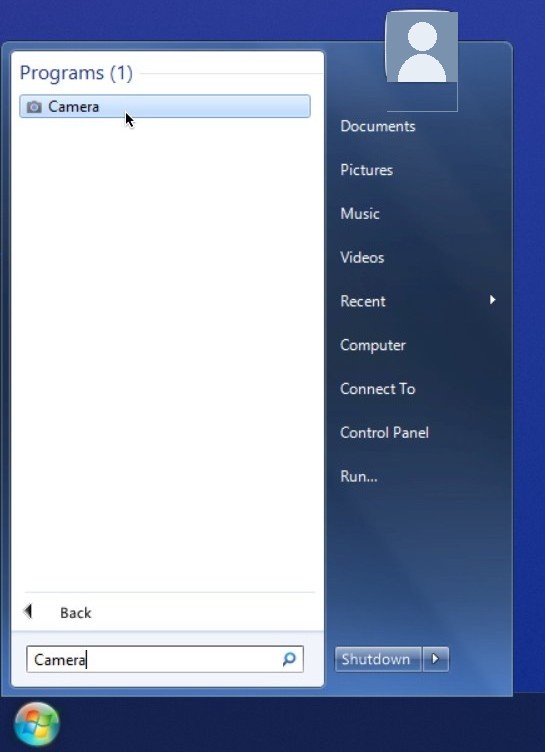
- Search finds single-word programs again. Calculator, Paint, Steam — anything with a one-word name had fallen out of the Programs results.
- The menu positions correctly on scaled displays. At 125% or 150% scaling — the default on most Windows 11 laptops — the menu could land half off screen and the blur backdrop sampled the wrong part of the desktop. Both fixed.
- The orb stops vanishing behind the Windows 11 taskbar. Win11's taskbar re-asserts itself over other topmost windows on every foreground change, and the orb could disappear for up to a second every time you clicked anything. ViStart now watches for those changes and wins the argument. In testing, the taskbar no longer covers the orb at all.
- Start with Windows is actually set by the installer now. Embarrassing one, this: fresh installs of the previous build didn't survive a reboot unless you found the checkbox in the control panel.
Hotfixed the same day: 8.1.0.5332
A few things surfaced within hours of release that shouldn't wait for the next one, so the download below is 8.1.0.5332:
- Shortcuts to 64-bit programs launch again on Windows 10/11. PowerShell 7, browser-installed web apps, anything living in the real Program Files — a 32-bit process resolves those shortcuts to a folder that doesn't exist, and the launch failed without a word. ViStart now hands them to Explorer, the same trick the Windows 8 path has used for years.
- Double-clicking a skin file now works. The
.vistart-themeassociation has been registered on every startup for years — into a registry hive that silently rejects non-admin writes. It registers per-user now, which pairs nicely with the skin gallery that went up today. - A default start orb ships in the box. If your skin didn't include one, you got no orb at all.
- Silent installs relaunch ViStart when they're done instead of leaving you menu-less until next logon.
One installer, XP to 11
The download below installs on everything from Windows XP to Windows 11 — one file, no UAC prompt, installs per-user in seconds. The paid alternatives in this category require Windows 8 or 10 at minimum; ViStart is free, open source, and covers every Windows that still boots. On old machines the new Store-app plumbing simply isn't needed and stays out of the way.
In 2023 I wrote that a homepage survey decided that release — "keep it working on newer Windows, fix the bugs" — and this release is more of exactly that. The tradition continues: after you install, the thank-you page asks one one-click question about what ViStart should get next. The current front-runner will genuinely be what I build.
The .NET rewrite at github.com/lee-soft/ViStart.NET continues in parallel — this release is the classic VB6 branch, which remains the one you can download and run today. Source for everything in this post is at github.com/lee-soft/ViStart.
Free, no sign-up, no bundled extras. Direct link to the installer if you'd rather skip a step.