
// New — Windows 11
ViGlance
The Windows 7 taskbar. On Windows 11.
New 1.0.0.1442 is the first ViGlance in eight years — and the first that runs on Windows 11. It replaces the whole taskbar now, not just part of it. It's a work in progress and I'd rather say so, but it's stable and I'm running it myself.
Free, no sign-up, no bundled extras. Direct link to the installer if you'd rather skip a step.
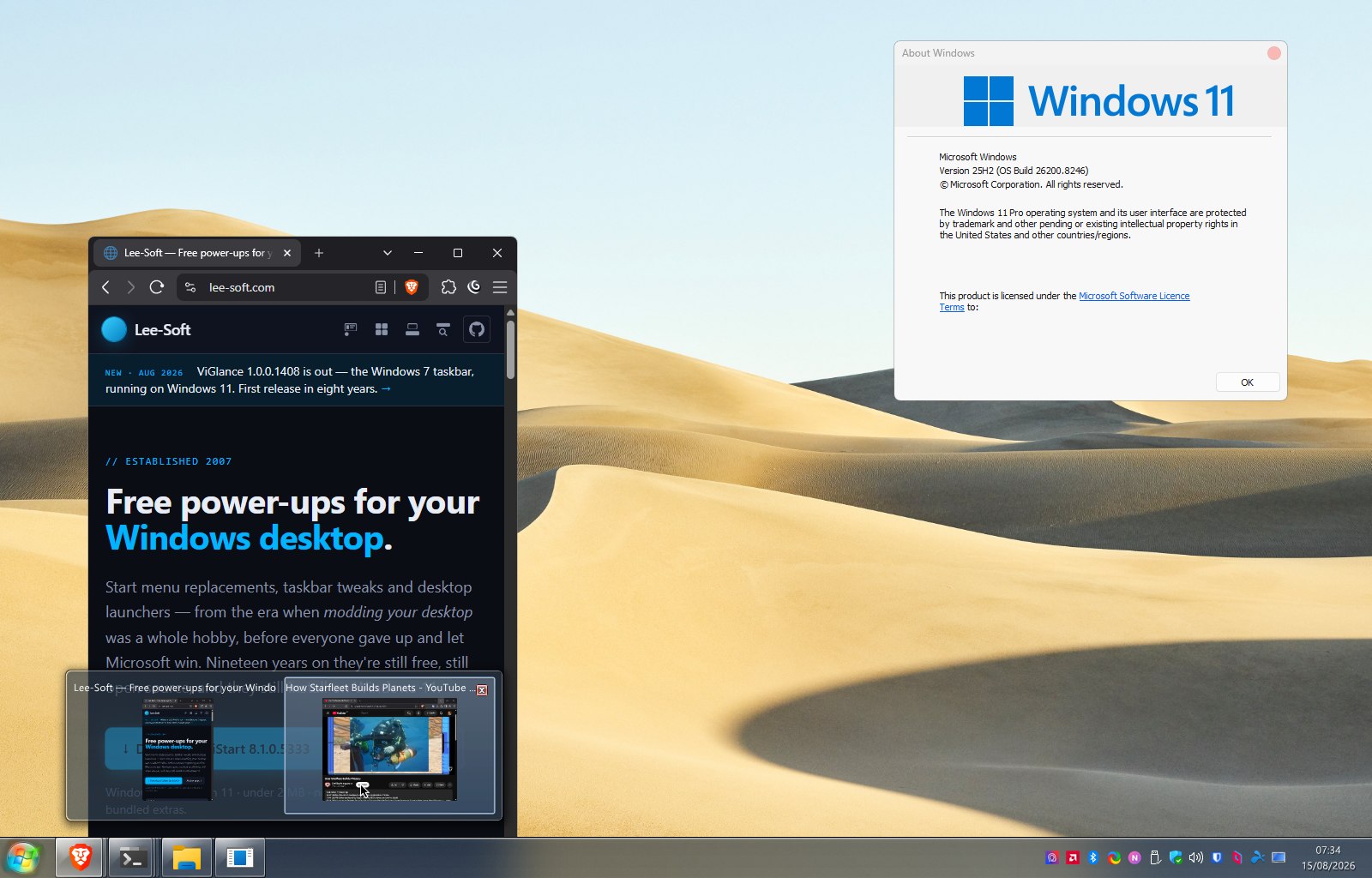
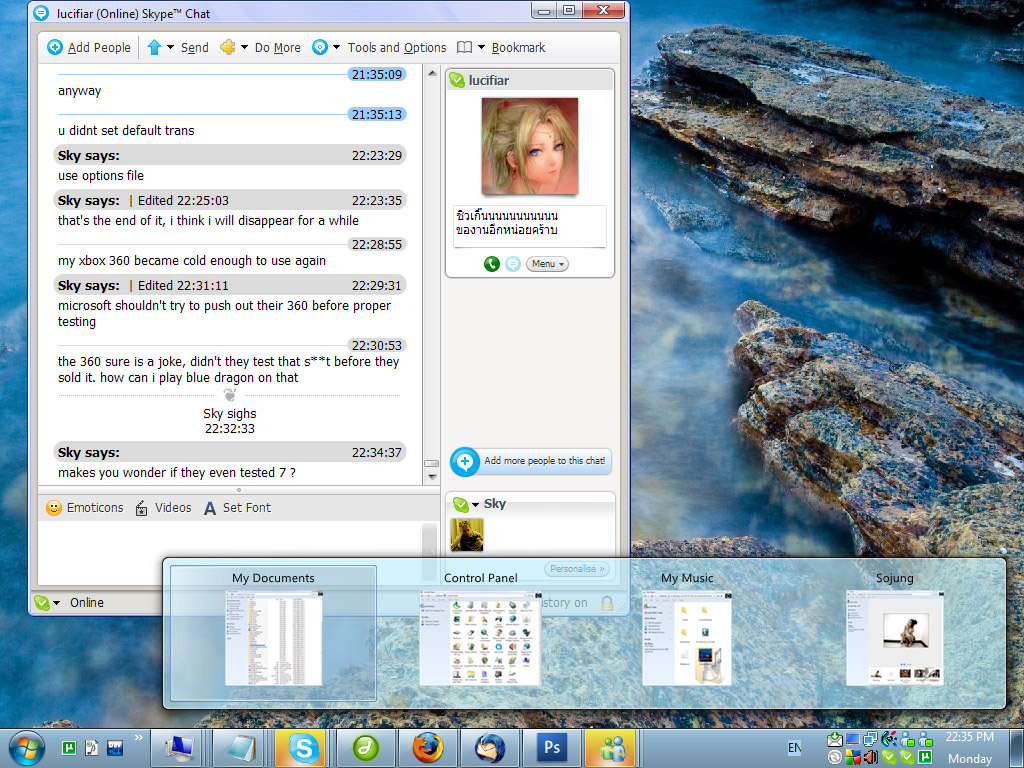
ViGlance was built for the gap between "I want the Windows 7 taskbar" and "I'm stuck on XP or Vista". I co-developed it with Lucifiar — it went through about 900 builds during development, originally codenamed 7Bar then SuperBar before becoming ViGlance. The first public release shipped inside Lucifiar's Seven Transformation Pack.
Then Windows 11 took the taskbar away all over again — you can't move it, can't ungroup it, can't resize it, can't put labels back on it. The gap ViGlance was built for reopened on a Windows nobody expected. Enough of you kept downloading the 2018 build anyway that I picked it back up, and this is the result.
What it does
- Groups windows by icon, not by text title — and hovering a group gives you live moving previews of the real windows, the way Windows 7 did it.
- Replaces the taskbar completely on Windows 11: task bands, the start orb, the notification area and the clock are all drawn by ViGlance.
- Keeps your tray icons. While it's running it hosts the notification area itself, so the apps you keep down there still turn up.
- Real Windows 11 glass — a frosted acrylic bar, tinted however the skin asks.
- Skins are just folders. Drop one into
Skins\with askin.xmland it loads. Winamp-style — no installer, nothing in the registry. - Drag a shortcut onto the bar to pin it, drag pinned items to rearrange, and jump-lists off the icon.
Where it stands
1.0.0.1442 is a first port, and I'd rather undersell it than have you find the edges yourself. The bar, the bands, previews, the tray, the clock and the orb all work, and it's what I run. What isn't there yet: a start menu of its own — the orb opens ViStart's menu directly if you have it, over an internal bridge added in 1.0.0.1434, and Windows' own if you don't — an options UI for picking skins, and vertical left/right-docked taskbars aren't supported. Windows' own volume, network and battery icons can't be hosted — Win+A still gets you those.
One installer still covers XP, Vista, 7, 8, 10 and 11 — it traps the APIs the old ones don't have rather than demanding them. To quit it, right-click any task band and choose Exit; it puts your real taskbar back.
VB6 codebase at github.com/lee-soft/ViGlance — 28 commits of porting work in the open, if you want to see how it got here. Sensible PRs welcome.
How it compares to StartAllBack and ExplorerPatcher →
Free, no sign-up, no bundled extras. Direct link to the installer if you'd rather skip a step.
Want to know when the next build lands?
This is a work in progress and it'll keep moving — a start menu of its own, a skin picker, and whatever you tell me is broken. One email when there's a new build worth having, nothing else ever, and you can tell me to stop whenever.
Your address goes in a file on my server and nowhere else — no mailing-list company, no tracking. Privacy.
Records the answer and nothing else — not your address, not a cookie, no way back to you.