
// Release · August 2026
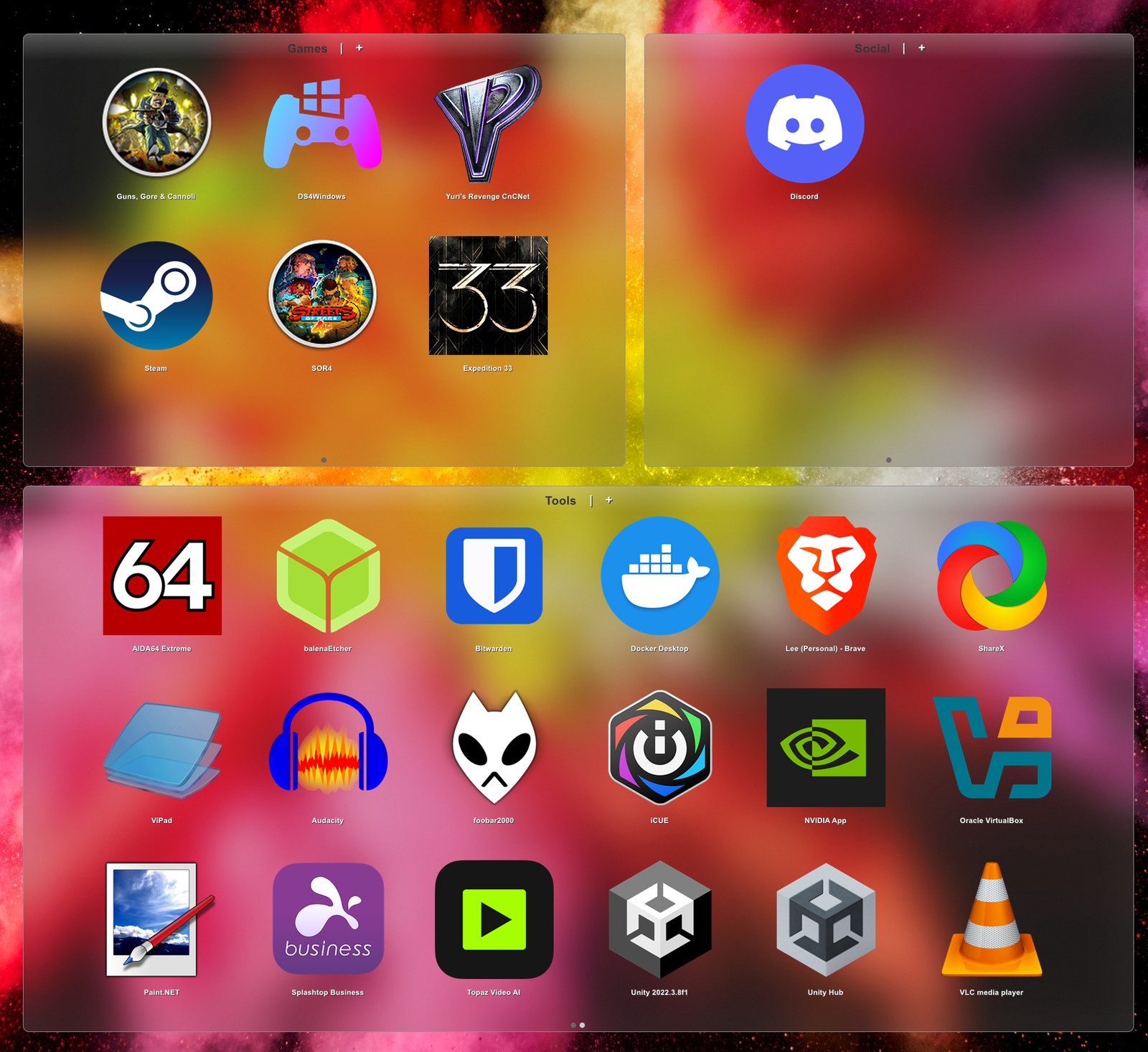
ViPad gets real blur on Windows 11
The pads finally look like they belong on a modern desktop.
ViPad hasn't had a release since March 2023. 2.0.0.44 is mostly about how it looks — plus a few fixes underneath that have been quietly making a bad first impression for years.
What you'll notice
- Real Windows 11 glass. Proper blur, rounded corners and a hairline border, instead of the old fake glass — and sliders for darkness, sheen and border so you can set how much wallpaper comes through.
- Snap to grid when you drag or resize a pad, so everything lines up. Optional, off by default, and you choose the grid size.
- Add Desktop Shortcuts now sits on the pad's right-click menu and can be run any time. It skips anything already in a pad, so running it twice adds nothing the second time.
- Long-standing fixes: tab names no longer lose their last letter, pads no longer start up black or missing their tab strip, and clicks no longer fall through a pad after Windows resizes it.
The import had a bug worth owning up to. It only ran once, the first time you started ViPad — and it quietly skipped the last shortcut on your desktop, alphabetically. Every fresh install, since the beginning. If you ever imported your desktop and thought "hang on, where's Winamp", that was me.
Why it never looked right before
The see-through effect ViPad used was Aero glass, from the Windows Vista and 7 era. Microsoft dropped it in Windows 8 — but the switch that asks for it still works, it just quietly hands back a flat grey panel instead. So ViPad had been asking for glass, getting a slab, and cheerfully assuming all was well.
Worse, ViPad couldn't tell which Windows it was running on. It asked, and Windows told it "8" — right up to and including Windows 11. Which is unfortunate, because 8 is exactly the version where the answer changed. It genuinely had no idea it was running on a modern machine.
So now it checks properly. On Vista and 7 you get the original Aero glass, which still works beautifully there. On Windows 10 and 11 you get the real thing — the same blur effect Rainmeter uses, except from an app that's under a megabyte.
One aside for anyone who likes poking at things: the source is on GitHub and, as of this release, it actually builds. It hadn't for years, which I only discovered by trying. Sorry to anyone who cloned it and hit a wall.
What's still missing
If you're here after looking at Fences: ViPad doesn't do rule-based sorting, and it won't roll everything away when you double-click the desktop. Both are on the list, neither is in this build. Everything else — labelled areas on the desktop, sweeping in what you've already got, hiding the originals — works today. There's an honest comparison of the two here.
Free, no sign-up, no bundled extras. Direct link to the installer if you'd rather skip a step.