// Frozen — 2018
ViGlance
A Windows 7 taskbar, for the Windows that came before it.
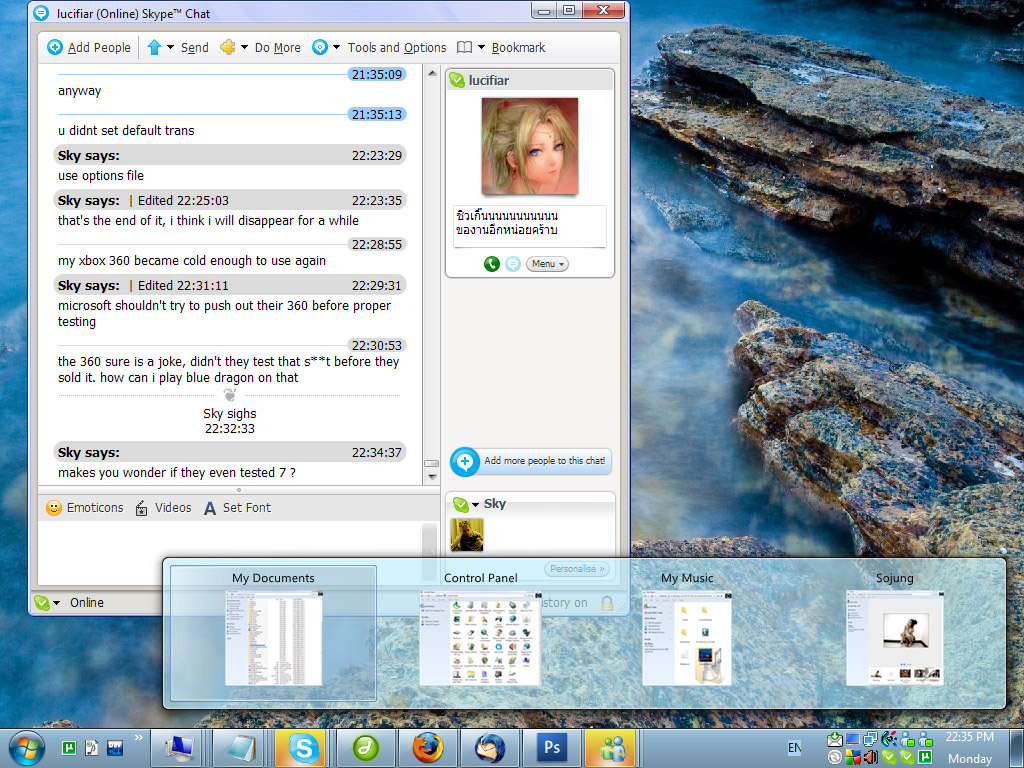
ViGlance was built for the gap between "I want the Windows 7 taskbar" and "I'm stuck on XP or Vista". I co-developed it with Lucifiar — it went through about 900 builds during development, originally codenamed 7Bar then SuperBar before becoming ViGlance. The first public release shipped inside Lucifiar's Seven Transformation Pack.
It served its purpose. These days most people are on Windows 10 or 11 where the native taskbar already does most of this, so ViGlance is mainly useful if you're keeping an old XP/Vista machine alive for nostalgia or compatibility.
What it does
- Stacks windows by icon instead of text title. Hover an icon to see thumbnails of every grouped window.
- Drag any program shortcut onto the taskbar to pin it. Drag pinned items to rearrange.
- A Win7-inspired start orb with a fade-on-hover effect.
- Jump-lists: recently opened documents pulled from a few places Windows tracks them, accessible from the icon.
Where it stands
Last shipped: 1.0.0.1306 (2018). Has not been updated since — frozen as-is. Works on the systems it was built for; whether it survives on modern Windows depends on what Microsoft's done to the shell since.
VB6 codebase at github.com/lee-soft/ViGlance. If anyone wants to revive it, the source is open and I'll merge sensible PRs.